


实例介绍
【实例简介】
【实例截图】
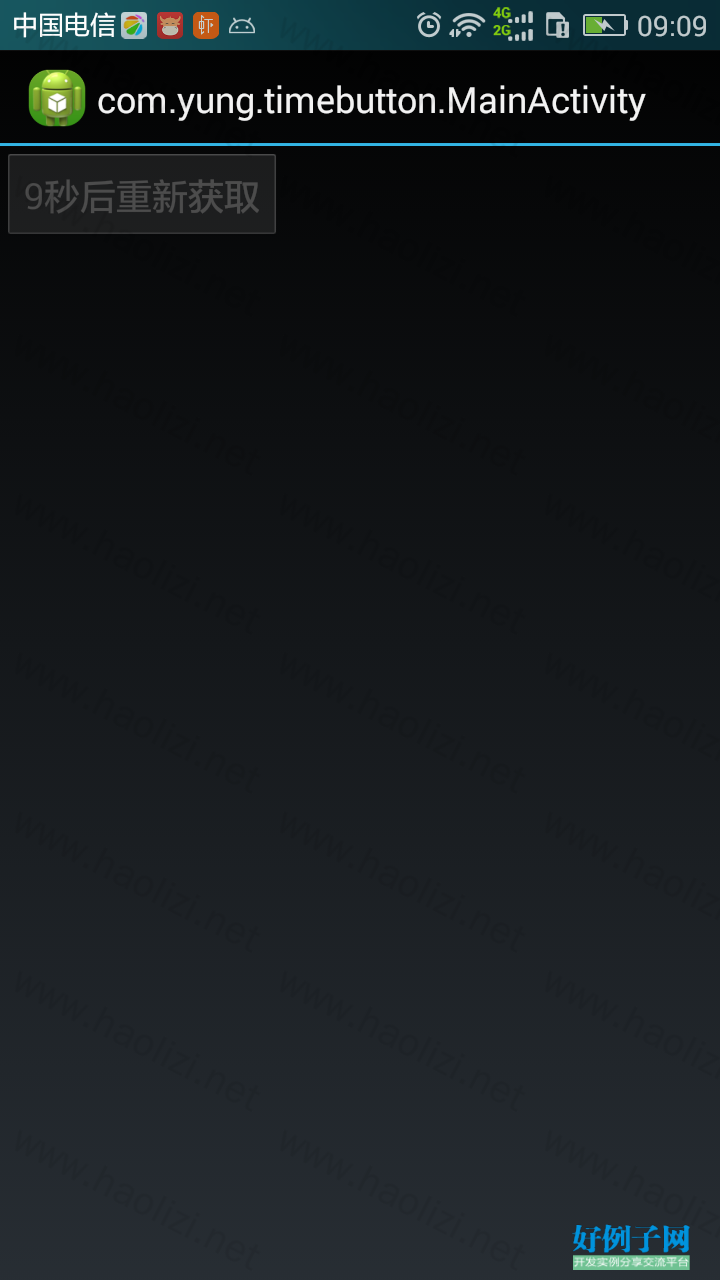
【核心代码】
package com.yung.timebutton;

import java.util.HashMap;
import java.util.Map;
import java.util.Timer;
import java.util.TimerTask;

import android.annotation.SuppressLint;
import android.content.Context;
import android.os.Bundle;
import android.os.Handler;
import android.util.AttributeSet;
import android.util.Log;
import android.view.View;
import android.view.View.OnClickListener;
import android.widget.Button;

/**
 * 鉴于经常用到获取验证码倒计时按钮 在网上也没有找到理想的 自己写一个
 *
 *
 * @author yung
 *         <P>
 *         2015年1月14日[佛祖保佑 永无BUG]
 *         <p>
 *         PS: 由于发现timer每次cancle()之后不能重新schedule方法,所以计时完毕只恐timer.
 *         每次开始计时的时候重新设置timer, 没想到好办法初次下策
 *         注意把该类的onCreate()onDestroy()和activity的onCreate()onDestroy()同步处理
 *
 */
public class TimeButton extends Button implements OnClickListener {
	private long lenght = 60 * 1000;// 倒计时长度,这里给了默认60秒
	private String textafter = "秒后重新获取~";
	private String textbefore = "点击获取验证码~";
	private final String TIME = "time";
	private final String CTIME = "ctime";
	private OnClickListener mOnclickListener;
	private Timer t;
	private TimerTask tt;
	private long time;
	Map<String, Long> map = new HashMap<String, Long>();

	public TimeButton(Context context) {
		super(context);
		setOnClickListener(this);

	}

	public TimeButton(Context context, AttributeSet attrs) {
		super(context, attrs);
		setOnClickListener(this);
	}

	@SuppressLint("HandlerLeak")
	Handler han = new Handler() {
		public void handleMessage(android.os.Message msg) {
			TimeButton.this.setText(time / 1000   textafter);
			time -= 1000;
			if (time < 0) {
				TimeButton.this.setEnabled(true);
				TimeButton.this.setText(textbefore);
				clearTimer();
			}
		};
	};

	private void initTimer() {
		time = lenght;
		t = new Timer();
		tt = new TimerTask() {

			@Override
			public void run() {
				Log.e("yung", time / 1000   "");
				han.sendEmptyMessage(0x01);
			}
		};
	}

	private void clearTimer() {
		if (tt != null) {
			tt.cancel();
			tt = null;
		}
		if (t != null)
			t.cancel();
		t = null;
	}

	@Override
	public void setOnClickListener(OnClickListener l) {
		if (l instanceof TimeButton) {
			super.setOnClickListener(l);
		} else
			this.mOnclickListener = l;
	}

	@Override
	public void onClick(View v) {
		if (mOnclickListener != null)
			mOnclickListener.onClick(v);
		initTimer();
		this.setText(time / 1000   textafter);
		this.setEnabled(false);
		t.schedule(tt, 0, 1000);
		// t.scheduleAtFixedRate(task, delay, period);
	}

	/**
	 * 和activity的onDestroy()方法同步
	 */
	public void onDestroy() {
		if (App.map == null)
			App.map = new HashMap<String, Long>();
		App.map.put(TIME, time);
		App.map.put(CTIME, System.currentTimeMillis());
		clearTimer();
		Log.e("yung", "onDestroy");
	}

	/**
	 * 和activity的onCreate()方法同步
	 */
	public void onCreate(Bundle bundle) {
		Log.e("yung", App.map   "");
		if (App.map == null)
			return;
		if (App.map.size() <= 0)// 这里表示没有上次未完成的计时
			return;
		long time = System.currentTimeMillis() - App.map.get(CTIME)
				- App.map.get(TIME);
		App.map.clear();
		if (time > 0)
			return;
		else {
			initTimer();
			this.time = Math.abs(time);
			t.schedule(tt, 0, 1000);
			this.setText(time   textafter);
			this.setEnabled(false);
		}
	}

	/** * 设置计时时候显示的文本 */
	public TimeButton setTextAfter(String text1) {
		this.textafter = text1;
		return this;
	}

	/** * 设置点击之前的文本 */
	public TimeButton setTextBefore(String text0) {
		this.textbefore = text0;
		this.setText(textbefore);
		return this;
	}

	/**
	 * 设置到计时长度
	 *
	 * @param lenght
	 *            时间 默认毫秒
	 * @return
	 */
	public TimeButton setLenght(long lenght) {
		this.lenght = lenght;
		return this;
	}
	/*

*
*/
}
好例子网口号:伸出你的我的手 — 分享!
小贴士
感谢您为本站写下的评论,您的评论对其它用户来说具有重要的参考价值,所以请认真填写。
- 类似“顶”、“沙发”之类没有营养的文字,对勤劳贡献的楼主来说是令人沮丧的反馈信息。
- 相信您也不想看到一排文字/表情墙,所以请不要反馈意义不大的重复字符,也请尽量不要纯表情的回复。
- 提问之前请再仔细看一遍楼主的说明,或许是您遗漏了。
- 请勿到处挖坑绊人、招贴广告。既占空间让人厌烦,又没人会搭理,于人于己都无利。
关于好例子网
本站旨在为广大IT学习爱好者提供一个非营利性互相学习交流分享平台。本站所有资源都可以被免费获取学习研究。本站资源来自网友分享,对搜索内容的合法性不具有预见性、识别性、控制性,仅供学习研究,请务必在下载后24小时内给予删除,不得用于其他任何用途,否则后果自负。基于互联网的特殊性,平台无法对用户传输的作品、信息、内容的权属或合法性、安全性、合规性、真实性、科学性、完整权、有效性等进行实质审查;无论平台是否已进行审查,用户均应自行承担因其传输的作品、信息、内容而可能或已经产生的侵权或权属纠纷等法律责任。本站所有资源不代表本站的观点或立场,基于网友分享,根据中国法律《信息网络传播权保护条例》第二十二与二十三条之规定,若资源存在侵权或相关问题请联系本站客服人员,点此联系我们。关于更多版权及免责申明参见 版权及免责申明

网友评论
我要评论