


实例介绍
【实例简介】
【实例截图】
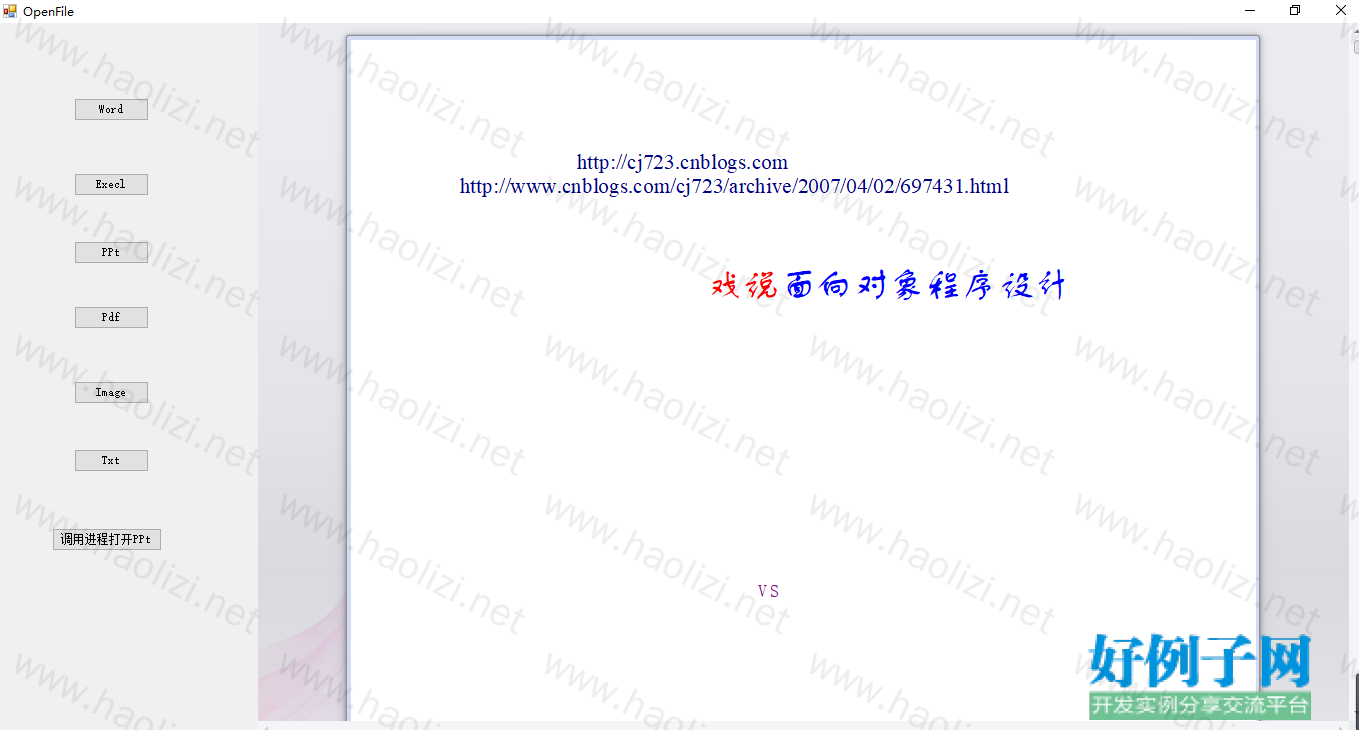
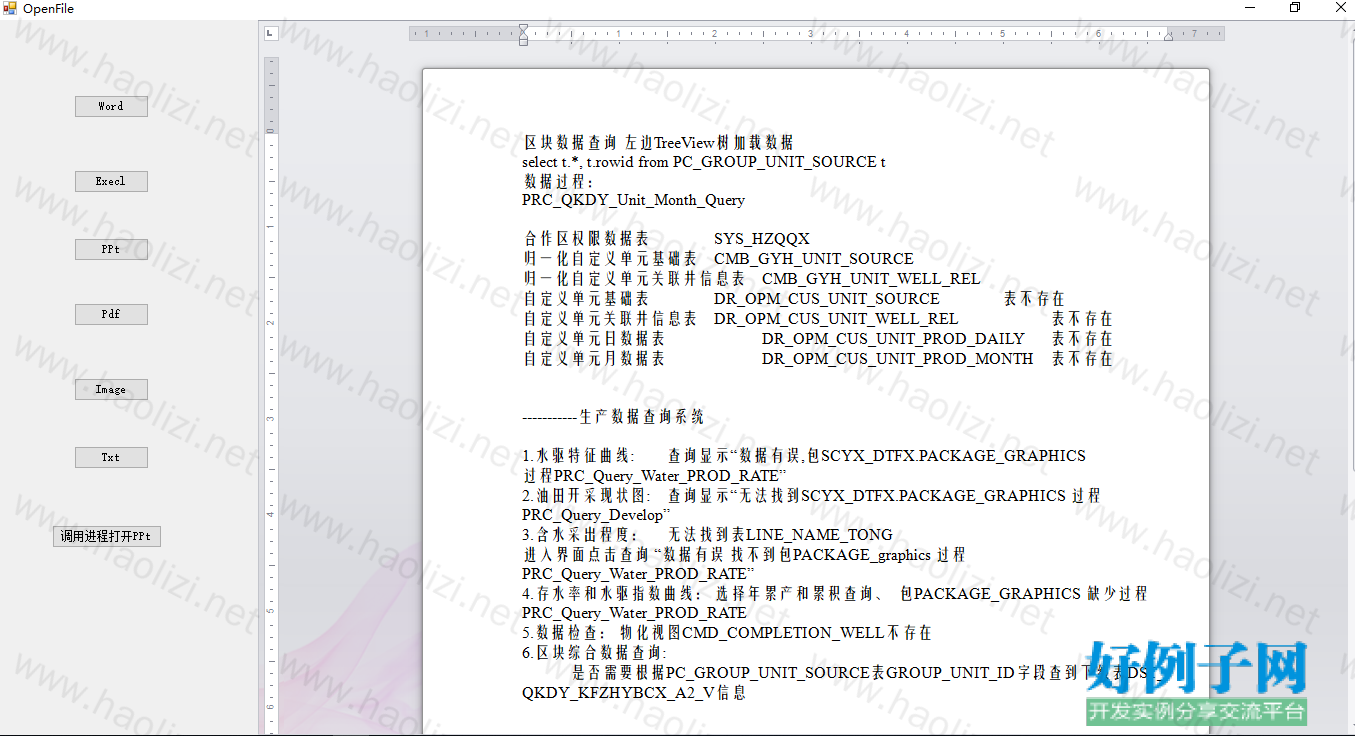
【核心代码】
using System;
using System.Collections.Generic;
using System.ComponentModel;
using System.Data;
using System.Drawing;
using System.Linq;
using System.Text;
using System.Windows.Forms;
using System.IO;
using Microsoft.Office.Core;
using System.Security.Permissions;
using Aspose.Slides;

namespace DevTest
{
    public partial class OpenFile : Form
    {

        //using 后添加下面两句
        //[PermissionSet(SecurityAction.Demand, Name = "FullTrust")]
        //[System.Runtime.InteropServices.ComVisibleAttribute(true)]
        //窗体LOAD的时候
        //将该控件的   IsWebBrowserContextMenuEnabled   属性设置为   false,以防止   WebBrowser   控件在用户右击它时显示其快捷菜单。

        private DevExpress.XtraPdfViewer.PdfViewer pdfView;
        private DevExpress.XtraRichEdit.RichEditControl WordView;
        private DevExpress.XtraSpreadsheet.SpreadsheetControl ExeclView;
        private DevExpress.XtraEditors.Controls.ImageSlider ImageView;
        OpenFileDialog openfile;

        public OpenFile()
        {
            InitializeComponent();
        }

        private void OpenFile_Load(object sender, EventArgs e)
        {
            try
            {
                openfile = new OpenFileDialog();
                openfile.Title = "选择文件";

                pdfView = new DevExpress.XtraPdfViewer.PdfViewer();
                WordView = new DevExpress.XtraRichEdit.RichEditControl();
                ExeclView = new DevExpress.XtraSpreadsheet.SpreadsheetControl();
                ImageView = new DevExpress.XtraEditors.Controls.ImageSlider();

                //浏览器中显示打开的PDf
                //System.Diagnostics.Process.Start("E:\\下载\\走出软件作坊.pdf");
                //利用本地office打开word
                //System.Diagnostics.Process.Start("E:\\下载\\C#.doc");
            }
            catch (Exception ex)
            {
                MessageBox.Show("load:"   ex.Message);
                return;
            }
        }

        /// <summary>
        /// 预览ppf
        /// </summary>
        /// <param name="sender"></param>
        /// <param name="e"></param>
        private void btnPPt_Click(object sender, EventArgs e)
        {
            openfile.Filter = "ppt文件|*.ppt|pptx文件|*.pptx";
            if (openfile.ShowDialog() != System.Windows.Forms.DialogResult.OK)
                return;
            string fName = openfile.FileName;

            //ppt保存pdf
            //Presentation Present = new Presentation(fName);
            //Present.Save("path", Aspose.Slides.Export.SaveFormat.Pdf);

            this.splitContainer1.Panel2.Controls.Clear();
            this.splitContainer1.Panel2.Controls.Add(webBrowser1);
            this.webBrowser1.Dock = DockStyle.Fill;
            this.webBrowser1.IsWebBrowserContextMenuEnabled = false;
            webBrowser1.Navigate(fName, false);

            //调用进程打开ppt
            //GotoSlide(fName, 1);
        }


        private void btnPPPTS_Click(object sender, EventArgs e)
        {
            openfile.Filter = "ppt文件|*.ppt|pptx文件|*.pptx";
            if (openfile.ShowDialog() != System.Windows.Forms.DialogResult.OK)
                return;
            string fName = openfile.FileName;
            //调用进程打开ppt
            ShowPresentation(fName);
        }

        /// <summary>
        /// 调用进程打开PPT
        /// </summary>
        /// <param name="fName"></param>
        private void ShowPresentation(string fName)
        {
            // String  strPic = "C:\\Windows\\Blue Lace 16.bmp";
            bool bAssistantOn;

            Microsoft.Office.Interop.PowerPoint.Application objApp;
            Microsoft.Office.Interop.PowerPoint.Presentations objPresSet;
            Microsoft.Office.Interop.PowerPoint._Presentation objPres;
            Microsoft.Office.Interop.PowerPoint.Slides objSlides;
            Microsoft.Office.Interop.PowerPoint._Slide objSlide;
            Microsoft.Office.Interop.PowerPoint.TextRange objTextRng;
            Microsoft.Office.Interop.PowerPoint.Shapes objShapes;
            Microsoft.Office.Interop.PowerPoint.Shape objShape;
            Microsoft.Office.Interop.PowerPoint.SlideShowWindows objSSWs;
            Microsoft.Office.Interop.PowerPoint.SlideShowTransition objSST;
            Microsoft.Office.Interop.PowerPoint.SlideShowSettings objSSS;
            Microsoft.Office.Interop.PowerPoint.SlideRange objSldRng;
            //Graph.Chart objChart;

            //Create a new presentation based on a template.
            objApp = new Microsoft.Office.Interop.PowerPoint.Application();
            objApp.Visible = MsoTriState.msoTrue;
            objPresSet = objApp.Presentations;
            objPres = objPresSet.Open(fName, MsoTriState.msoFalse, MsoTriState.msoTrue, MsoTriState.msoTrue);
            objSlides = objPres.Slides;

            ////Build Slide #1:
            ////Add text to the slide, change the font and insert/position a picture on the first slide.
            ////将文本添加到幻灯片中,更改字体并插入/位置a第一张幻灯片上的图片。
            //objSlide = objSlides.Add(1, Microsoft.Office.Interop.PowerPoint.PpSlideLayout.ppLayoutTitleOnly);
            //objTextRng = objSlide.Shapes[1].TextFrame.TextRange;
            //objTextRng.Text = "My Sample Presentation";
            //objTextRng.Font.Name = "Comic Sans MS";
            //objTextRng.Font.Size = 48;
            //objSlide.Shapes.AddPicture(strPic, MsoTriState.msoFalse, MsoTriState.msoTrue,
            // 150, 150, 500, 350);

            ////Build Slide #2:
            ////Add text to the slide title, format the text. Also add a chart to the slide and change the chart type to a 3D pie chart.
            ////将文本添加到幻灯片标题中,格式化文本。还可以将图表添加到幻灯片中,并将图表类型更改为3D饼图。
            //objSlide = objSlides.Add(2, Microsoft.Office.Interop.PowerPoint.PpSlideLayout.ppLayoutTitleOnly);
            //objTextRng = objSlide.Shapes[1].TextFrame.TextRange;
            //objTextRng.Text = "My Chart";
            //objTextRng.Font.Name = "Comic Sans MS";
            //objTextRng.Font.Size = 48;
            //objChart = (Graph.Chart)objSlide.Shapes.AddOLEObject(150, 150, 480, 320,
            // "MSGraph.Chart.8", "", MsoTriState.msoFalse, "", 0, "",
            // MsoTriState.msoFalse).OLEFormat.Object;
            //objChart.ChartType = Graph.XlChartType.xl3DPie;
            //objChart.Legend.Position = Graph.XlLegendPosition.xlLegendPositionBottom;
            //objChart.HasTitle = true;
            //objChart.ChartTitle.Text = "Here it is...";

            ////Build Slide #3:
            ////Change the background color of this slide only. Add a text effect to the slide
            ////and apply various color schemes and shadows to the text effect.
            ////只更改此幻灯片的背景颜色。在幻灯片中添加文本效果,并对文本效果应用各种颜色方案和阴影。
            //objSlide = objSlides.Add(3, Microsoft.Office.Interop.PowerPoint.PpSlideLayout.ppLayoutBlank);
            //objSlide.FollowMasterBackground = MsoTriState.msoFalse;
            //objShapes = objSlide.Shapes;
            //objShape = objShapes.AddTextEffect(MsoPresetTextEffect.msoTextEffect27,
            //  "The End", "Impact", 96, MsoTriState.msoFalse, MsoTriState.msoFalse, 230, 200);


            // 自动播放的代码(开始)
            //Modify the slide show transition settings for all 3 slides in
            //the presentation.
            //int[] SlideIdx = new int[3];
            //for (int i = 0; i < 3; i  )
            //    SlideIdx[i] = i   1;
            //objSldRng = objSlides.Range(SlideIdx);
            //objSST = objSldRng.SlideShowTransition;
            //objSST.AdvanceOnTime = MsoTriState.msoTrue;
            //objSST.AdvanceTime = 3;
            //objSST.EntryEffect = Microsoft.Office.Interop.PowerPoint.PpEntryEffect.ppEffectBoxOut;

            //Prevent Office Assistant from displaying alert messages:
            //bAssistantOn = objApp.Assistant.On;
            //objApp.Assistant.On = false;

            ////Run the Slide show from slides 1 thru 3.
            //objSSS = objPres.SlideShowSettings;
            //objSSS.StartingSlide = 1;
            //objSSS.EndingSlide = 3;
            //objSSS.Run();

            ////Wait for the slide show to end.
            //objSSWs = objApp.SlideShowWindows;
            //while (objSSWs.Count >= 1) System.Threading.Thread.Sleep(100);

            ////Reenable Office Assisant, if it was on:
            //if (bAssistantOn)
            //{
            //    objApp.Assistant.On = true;
            //    objApp.Assistant.Visible = false;
            //}
            // 自动播放的代码(结束)

            //Close the presentation without saving changes and quit PowerPoint.
            //objPres.Close();
            //objApp.Quit();
        }

        private void axWebBrowser1_NavigateComplete2(object sender, AxSHDocVw.DWebBrowserEvents2_NavigateComplete2Event e)
        {
            Microsoft.Office.Interop.PowerPoint.Application wordApp = e.pDisp.GetType().InvokeMember("Application", System.Reflection.BindingFlags.GetProperty, null, e.pDisp, null) as Microsoft.Office.Interop.PowerPoint.Application;
            Microsoft.Office.Interop.PowerPoint.DocumentWindow doc = e.pDisp.GetType().InvokeMember("Document", System.Reflection.BindingFlags.GetProperty, null, e.pDisp, null) as Microsoft.Office.Interop.PowerPoint.DocumentWindow;
        }

        /// <summary>
        /// 调用进程打开PPT
        /// </summary>
        /// <param name="filePath"></param>
        /// <param name="pageIndex"></param>
        private void GotoSlide(string filePath, int pageIndex)
        {
            Microsoft.Office.Interop.PowerPoint.Application PPTApplication = new Microsoft.Office.Interop.PowerPoint.Application();
            //以非只读方式打开,方便操作结束后保存.
            Microsoft.Office.Interop.PowerPoint.Presentation PPTPresentation = PPTApplication.Presentations.Open(filePath,
                                                                                Microsoft.Office.Core.MsoTriState.msoTrue,
                                                                                Microsoft.Office.Core.MsoTriState.msoFalse,
                                                                                Microsoft.Office.Core.MsoTriState.msoFalse);
            Microsoft.Office.Interop.PowerPoint.SlideShowSettings slideShow = PPTPresentation.SlideShowSettings;
            slideShow.Run();
            //PPTPresentation.SlideShowWindow.View.GotoSlide(pageIndex);
        }

        /// <summary>
        /// 预览Image
        /// </summary>
        /// <param name="sender"></param>
        /// <param name="e"></param>
        private void btnImage_Click(object sender, EventArgs e)
        {
            openfile.Filter = "PNG图片|*.png|JPG图片|*.jpg|BMP图片|*.bmp";
            if (openfile.ShowDialog() != System.Windows.Forms.DialogResult.OK)
                return;
            string fName = openfile.FileName;
            this.splitContainer1.Panel2.Controls.Clear();
            this.splitContainer1.Panel2.Controls.Add(ImageView);
            this.ImageView.Dock = DockStyle.Fill;
            this.ImageView.Images.Add(((System.Drawing.Image)(Image.FromFile(fName))));
        }

        /// <summary>
        /// 预览Execl
        /// </summary>
        /// <param name="sender"></param>
        /// <param name="e"></param>
        private void btnExecl_Click(object sender, EventArgs e)
        {
            openfile.Filter = "Excel文件|*.xls";
            if (openfile.ShowDialog() != System.Windows.Forms.DialogResult.OK)
                return;
            string fName = openfile.FileName;
            this.splitContainer1.Panel2.Controls.Clear();
            this.splitContainer1.Panel2.Controls.Add(ExeclView);
            this.ExeclView.Dock = DockStyle.Fill;
            this.ExeclView.LoadDocument(fName);
        }
        /// <summary>
        /// 预览Pdf
        /// </summary>
        /// <param name="sender"></param>
        /// <param name="e"></param>
        private void btnPdf_Click(object sender, EventArgs e)
        {
            openfile.Filter = "pdf文件|*.pdf";
            if (openfile.ShowDialog() != System.Windows.Forms.DialogResult.OK)
                return;
            string fName = openfile.FileName;
            this.splitContainer1.Panel2.Controls.Clear();
            this.splitContainer1.Panel2.Controls.Add(pdfView);
            this.pdfView.Dock = DockStyle.Fill; ;
            this.pdfView.LoadDocument(fName);

            //this.splitContainer1.Panel2.Controls.Add(pdfView);
            //this.pdfView.Dock = DockStyle.Fill;
            //this.pdfView.LoadDocument("F:\\项目\\公司文档\\软件.pdf");
        }

        /// <summary>
        /// 预览Word
        /// </summary>
        /// <param name="sender"></param>
        /// <param name="e"></param>
        private void btnWord_Click(object sender, EventArgs e)
        {
            openfile.Filter = "Office Documents(*.doc,*docx)|*.doc;*docx";
            if (openfile.ShowDialog() != System.Windows.Forms.DialogResult.OK)
                return;
            string fName = openfile.FileName;
            this.splitContainer1.Panel2.Controls.Clear();
            this.splitContainer1.Panel2.Controls.Add(WordView);
            this.WordView.Dock = DockStyle.Fill;
            this.WordView.LoadDocument(fName);

            //this.splitContainer1.Panel2.Controls.Add(WordView);
            //this.WordView.Dock = DockStyle.Fill;
            //this.WordView.LoadDocument("F:\\项目\\公司文档\\周报.docx");
        }

        /// <summary>
        /// 预览txt
        /// </summary>
        /// <param name="sender"></param>
        /// <param name="e"></param>
        private void btnTxt_Click(object sender, EventArgs e)
        {
            openfile.Filter = "txt文档|*.txt";
            if (openfile.ShowDialog() != System.Windows.Forms.DialogResult.OK)
                return;
            string fName = openfile.FileName;
            this.splitContainer1.Panel2.Controls.Clear();
            this.splitContainer1.Panel2.Controls.Add(WordView);
            this.WordView.Dock = DockStyle.Fill; ;
            this.WordView.LoadDocument(fName);
        }

        /// <summary>
        ///
        /// </summary>
        /// <param name="sender"></param>
        /// <param name="e"></param>
        private void OpenFile_FormClosing(object sender, FormClosingEventArgs e)
        {
            GC.Collect();
        }


    }
}
好例子网口号:伸出你的我的手 — 分享!
相关软件
小贴士
感谢您为本站写下的评论,您的评论对其它用户来说具有重要的参考价值,所以请认真填写。
- 类似“顶”、“沙发”之类没有营养的文字,对勤劳贡献的楼主来说是令人沮丧的反馈信息。
- 相信您也不想看到一排文字/表情墙,所以请不要反馈意义不大的重复字符,也请尽量不要纯表情的回复。
- 提问之前请再仔细看一遍楼主的说明,或许是您遗漏了。
- 请勿到处挖坑绊人、招贴广告。既占空间让人厌烦,又没人会搭理,于人于己都无利。
关于好例子网
本站旨在为广大IT学习爱好者提供一个非营利性互相学习交流分享平台。本站所有资源都可以被免费获取学习研究。本站资源来自网友分享,对搜索内容的合法性不具有预见性、识别性、控制性,仅供学习研究,请务必在下载后24小时内给予删除,不得用于其他任何用途,否则后果自负。基于互联网的特殊性,平台无法对用户传输的作品、信息、内容的权属或合法性、安全性、合规性、真实性、科学性、完整权、有效性等进行实质审查;无论平台是否已进行审查,用户均应自行承担因其传输的作品、信息、内容而可能或已经产生的侵权或权属纠纷等法律责任。本站所有资源不代表本站的观点或立场,基于网友分享,根据中国法律《信息网络传播权保护条例》第二十二与二十三条之规定,若资源存在侵权或相关问题请联系本站客服人员,点此联系我们。关于更多版权及免责申明参见 版权及免责申明

网友评论
我要评论